
Nicht kategorisierte Dateien
Unten werden bis zu 50 Ergebnisse im Bereich 1 bis 50 angezeigt.
-
 0prodez.png 34 × 8; 223 Bytes
-
 10prodez.png 34 × 8; 225 Bytes
-
 1prodez.png 34 × 8; 235 Bytes
-
 2prodez.png 34 × 8; 240 Bytes
-
 3prodez.png 34 × 8; 239 Bytes
-
 4prodez.png 34 × 8; 238 Bytes
-
 5prodez.png 34 × 8; 236 Bytes
-
 6prodez.png 34 × 8; 238 Bytes
-
 7prodez.png 34 × 8; 239 Bytes
-
 8prodez.png 34 × 8; 238 Bytes
-
 9prodez.png 34 × 8; 235 Bytes
-
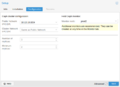 Ceph Installieren Konfiguration.png 700 × 510; 35 KB
-
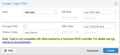 Ceph create osd.png 602 × 277; 14 KB
-
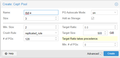 Ceph create pool.png 603 × 290; 12 KB
-
 Debian-10.9.0-arm64-netinst.iso ; 250,29 MB
-
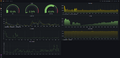 Grafana Dashboard.png 1.923 × 923; 181 KB
-
 Helsinki ESC 2007.svg 862 × 345; 266 KB
-
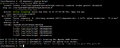 Httpd status running.png 964 × 384; 30 KB
-
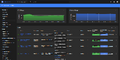 Kubernetes dashboard with metrics.png 1.920 × 958; 156 KB
-
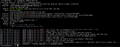 Mariadb status running.png 1.285 × 502; 52 KB
-
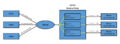 NGINX Reverse Proxy Schema.png 1.675 × 615; 61 KB
-
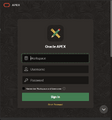 Oracle apex login.png 650 × 695; 162 KB
-
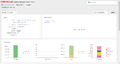 Oracle enterprise manager home.png 1.482 × 789; 46 KB
-
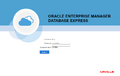 Oracle enterprise manager login.png 1.144 × 727; 44 KB
-
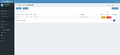 PowerDNS-Admin - Domaineinträge bearbeiten A-Record.png 1.920 × 876; 70 KB
-
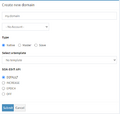 PowerDNS-Admin - Neue Domain erstellen.png 536 × 511; 20 KB
-
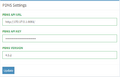 PowerDNS-Admin - PDNS Einstellung.png 537 × 343; 9 KB
-
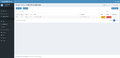 PowerDNS-Admin - Reverse Zone bearbeiten - PTR erstellen.png 1.918 × 930; 81 KB
-
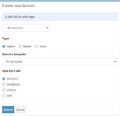 PowerDNS-Admin - Reverse Zone erstellen.png 534 × 514; 21 KB
-
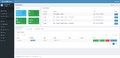 PowerDNS-Admin Homepage.png 1.916 × 928; 110 KB
-
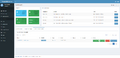 PowerDNS-Admin Homepage - Reverse Lookup.png 1.917 × 929; 128 KB
-
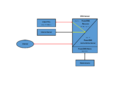 PowerDNS Beispiel Schema.png 1.754 × 1.240; 49 KB
-
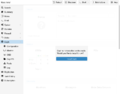 Proxmox Ceph First Install.png 808 × 636; 51 KB
-
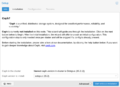 Proxmox Ceph Wizard Info.png 700 × 510; 60 KB
-
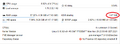 Proxmox Node KSM Sharing.png 752 × 278; 17 KB
-
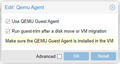 Proxmox QUEMU Guest Agent.png 359 × 190; 8 KB
-
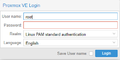 Proxmox VE Login.png 400 × 199; 5 KB
-
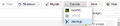 Proxmox console xterm.png 511 × 110; 11 KB
-
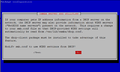 Proxmox samba wins.png 641 × 385; 15 KB
-
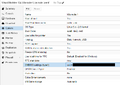 Proxmox vm uuid.png 711 × 505; 39 KB
-
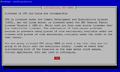 Proxmox zfs license.png 643 × 386; 20 KB
-
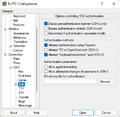 PuTTY Private-Key hinzufügen.png 451 × 440; 21 KB
-
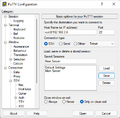 PuTTY Session erstellen.png 451 × 442; 20 KB
-
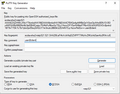 PuTTYgen ECDSA Key-Pair.png 602 × 473; 24 KB
-
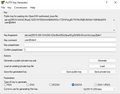 PuTTYgen Ed25519.png 598 × 468; 19 KB
-
 Putty key login.png 453 × 78; 4 KB
-
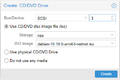 Pve create cd-dvd drive.png 404 × 271; 13 KB
-
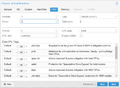 Pve create vm cpu.png 701 × 515; 33 KB
-
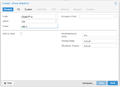 Pve create vm general.png 709 × 516; 17 KB
-
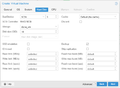 Pve create vm hard disk.png 706 × 517; 37 KB


